

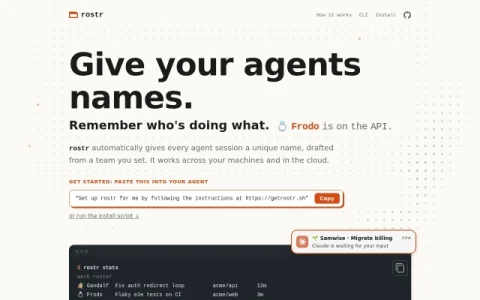
rostr is a small utility built around one idea: every coding agent session should have a human-readable name. Instead of juggling anonymous workstreams or scrolling through terminal windows to work out which one is stuck, you assign each session a name drawn from a roster you define. The project targets developers who run multiple agents in parallel and need a fast, low-effort way to keep them straight.
The core mechanism is a roster. You pick a theme — a fantasy fellowship, a basketball bench, a custom list — and rostr drafts a unique name from it for each new session. A status view then shows the roster alongside what each agent is currently doing, how long it has been running, and whether it needs input. Because names are stable and shared, a notification from a given agent is immediately identifiable, and agents can reference each other by name when coordinating.
Integration is deliberately lightweight. rostr works with Claude Code, Codex, and terminal multiplexers, and it syncs across machines and cloud environments, so the same roster follows you between setups. Installation is either a single instruction pasted into your agent or a shell install script, with no separate account or dashboard to manage.
It fits individual developers and small teams already comfortable in the terminal who routinely have three or more agent sessions live at once. If you only ever run one agent, the benefit is marginal. A sensible approach is to start with a themed roster you will actual

评论与评分
0还没有评论,来写下第一条评价吧。