
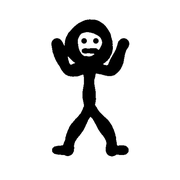
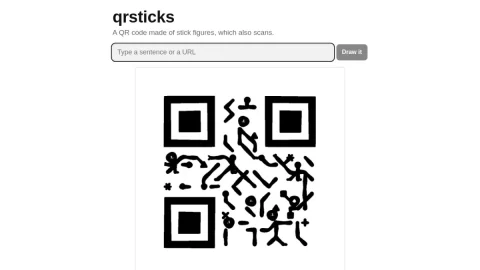
qrsticks is a small web project by Greg Technology that generates QR codes made of stick figures. The page states plainly that the resulting drawing still scans, and it offers a download option alongside the drawing tool. It is a single-purpose site focused on making QR codes more visually interesting than standard black-and-white grids.
The core function is a “Draw it” button that encodes text or a URL as a stick-figure QR code. The site explains the mechanism: decoders locate the three large corner squares, project an invisible grid, and check only the center of each cell, ignoring surrounding marks. As long as dark centers are inked and light centers stay blank, the code remains readable. Pressing the button repeatedly for the same input yields slightly different versions.
The site is suited to casual users, educators, and designers who want a QR code with a hand-drawn look for posters, slides, or personal projects. It is not positioned as a bulk generator or analytics service, and the FAQ states the service will not charge or redirect URLs, with the author affirming that QR codes should always be free.
To use it, enter the text or URL, press “Draw it,” and download the result. Because each draw varies, users can regenerate until they like the arrangement, then test-scan the image before publishing. The project credits inspiration from Noel Friedrich’s hand-drawn QR code and is presented as a lightweight, free experiment in functional illustration.

评论与评分
0还没有评论,来写下第一条评价吧。