

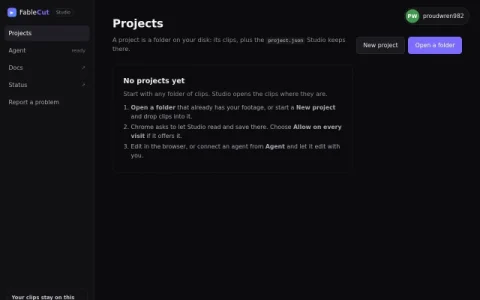
FableCut Studio is a video editor that runs in the browser while keeping your footage on your own machine. You point it at a folder of clips, and it builds a project around those local files instead of requiring an upload. That makes it a practical option for people who want timeline editing without handing their raw media to a cloud service.
The core workspace follows familiar non-linear editing conventions: a source and program monitor, a timeline with trim, split, ripple delete, lift and extract, plus markers, snapping and gap-finding tools. An inspector handles transform, effects and audio for the selected clip, and there are panels for titles, adjustments, SFX, SVG shapes and templates. Import works from local files or an HTTPS URL, with downloaded media stored in the project folder rather than streamed.
What sets it apart is the agent integration. You can connect Claude, ChatGPT or any MCP-compatible agent to work on the edit with you, which is aimed at editors curious about assisted workflows rather than fully automated rendering. Export offers a fast ffmpeg path that continues in the background when you switch tabs, or hardware-accelerated WebCodecs encoding, both frame-accurate.
It suits independent editors, content creators and developers experimenting with agent-driven editing who are comfortable with a desktop-style NLE layout. Beginners may find the panel density steep at first. A sensible approach is to start with a small folder of clips, learn the timeline s



Comments & Ratings
0No comments yet. Be the first to review.