
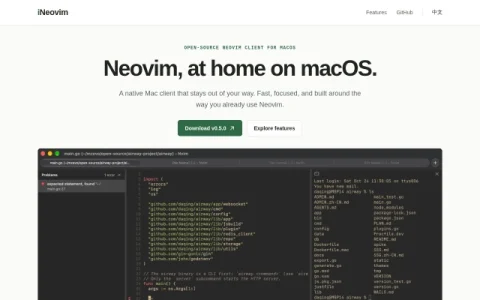
iNeovim positions itself as a native Mac client rather than a replacement editor. Neovim remains the editing engine, and the app focuses on making the surrounding workflow feel at home on macOS: a clean, responsive interface, familiar Mac conventions, and a focused layout that avoids clutter. The project is fully open source, so the code can be inspected, issues reported, and development followed on GitHub.
The feature set centers on three things. First, native editing in a window built for macOS. Second, a dedicated terminal panel powered by the open-source libghostty library, so shell commands run alongside code without switching windows. Third, visual LSP diagnostics: clicking a diagnostic opens a popover with details in place, and the Problems sidebar (Cmd+P) collects all language-server messages for quick triage.
This makes iNeovim most useful for developers who already use Neovim and want a lighter GUI layer on a Mac, especially those who rely on language servers and prefer keeping a terminal close at hand. Users who expect a fully configured IDE out of the box may find it too minimal, since Neovim configuration still matters.
A practical approach is to install the current release, keep your existing Neovim config, and try the terminal panel and Problems sidebar in a real project to see whether the native layer fits your habits. Overall, iNeovim is a focused, open-source option for Mac users who want Neovim with a little more macOS comfort and no extra weight.


Comments & Ratings
0No comments yet. Be the first to review.