
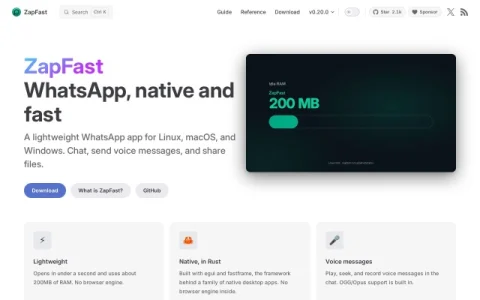
ZapFast positions itself as a native alternative to the official WhatsApp desktop app, targeting people who find browser-based clients slow or resource-hungry. It is distributed for Linux, macOS, and Windows, and the project publishes versioned releases with a changelog, so users can track what changes between builds.
The core of the app is a native interface built with Rust, egui, and fastframe, with no embedded browser engine. It supports text chat, voice messages with playback, seeking, and recording, plus attachments such as photos, GIFs, stickers, documents, polls, locations, and link previews. Captions can be added before sending files, and OGG/Opus audio is handled natively.
Practical details include a background mode that keeps the app linked in the system tray when the window is closed, notifications that display the chat picture, and muted chats that stay quiet. Users who manage more than one WhatsApp number can link several accounts and switch between them from the profile picture at the foot of the rail beside the chat list. Light, dark, and system themes are available.
ZapFast suits Linux users in particular, since native WhatsApp options on that platform are limited, as well as anyone on macOS or Windows who wants a low-memory client. Before relying on it, check the guide and reference sections for supported features, and keep the changelog in mind when updating. It is a focused, fast messaging client rather than a full replacement for every WhatsApp feature.


评论与评分
0还没有评论,来写下第一条评价吧。