

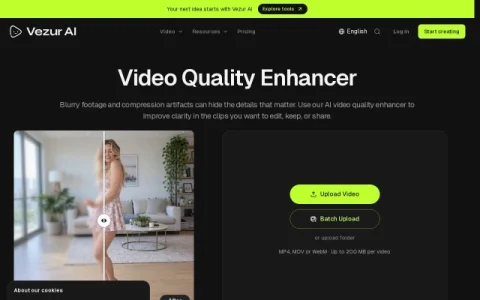
Vezur AI positions itself as an AI video quality enhancer for footage that looks soft, noisy, or damaged by compression. Rather than a full editing suite, it focuses on one job: making existing clips clearer so they can be edited, archived, or shared with more confidence.
The core workflow is upload, process, and compare. Users can drag in a single video or a whole folder, with MP4, MOV, and WebM accepted up to 200 MB per file. Processing happens in the cloud, and the original file stays unchanged, so there is no risk to source material. A processed preview can be checked against the original for faces, text, and fine textures before the result is used elsewhere.
The site sits alongside related Vezur tools such as an AI video upscaler, background remover, text remover, and watermark remover, which suggests a broader toolkit for cleanup and repurposing tasks. Pricing is credit-based, and clips above 4K are estimated from the 4K rate in proportion to output pixels.
It is best suited to content creators, social media editors, and people digitizing old recordings or phone footage who want a quick clarity pass without learning desktop software. Those working through many clips can pick a plan with a suitable batch limit and track tasks from their account.
A sensible approach is to test a short representative clip first, compare the preview closely, and only then process a full batch. Used that way, Vezur AI is a focused utility for improving clarity rather than a replacement f



评论与评分
0还没有评论,来写下第一条评价吧。