

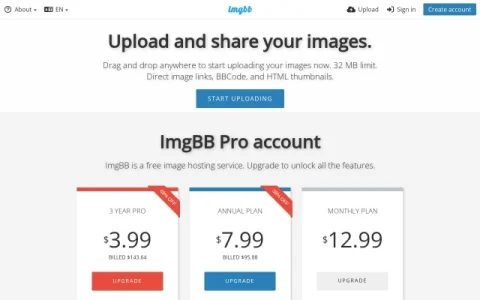
ImgBB positions itself as a no-frills image hosting utility. The homepage is essentially an upload box: you drag and drop or paste images, or add image URLs, and the service returns shareable links. There is no complex dashboard to learn, which makes it a practical choice when you just need to get a picture online quickly.
The core features center on output formats. After uploading, ImgBB provides direct image links, BBCode for forums, and HTML thumbnails for websites. You can edit or resize an image by clicking its preview before finalizing the upload, and the queue handles multiple images at once. A 32 MB per-file limit applies, and the site offers plugins and an API for automated or integrated uploads.
This makes ImgBB most useful for forum posters, bloggers, and support agents who need to embed screenshots or photos in a post. Casual users sharing images with friends also fit, since basic hosting does not require an account. Users who need galleries, analytics, or permanent brand asset storage should look elsewhere.
A practical tip: create a free account if you want to manage or delete uploaded images later, since anonymous uploads are harder to track. Use the resize option before uploading large photos to keep pages fast. Overall, ImgBB is a dependable quick-host for images that need a link, not a library.




评论与评分
0还没有评论,来写下第一条评价吧。