
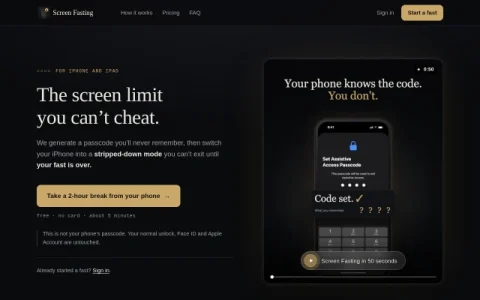
Screen Fasting is a self-control service for iPhone and iPad owners who have found that ordinary screen-time limits are too easy to dismiss. Instead of relying on willpower or a passcode you already know, it uses Apple’s Assistive Access to put the device into a stripped-down mode and holds the exit code on its own side. The premise is simple: a limit you can lift is not really a limit.
The setup flow asks you to choose a duration and select which apps remain available, then has you type decoy digits to set an Assistive Access passcode you will not remember. Your normal unlock, Face ID and Apple Account stay untouched, so the lock applies only to the fast itself. When the countdown finishes, the passcode is returned and the phone behaves normally again. A two-hour session is offered free with no card required.
It is aimed at people who have already tried Screen Time limits, Focus modes or third-party app blockers and found a way around them within minutes. Students, remote workers and anyone who wants a firm, pre-committed break from a phone will get the most from it. Because there is no override, it suits planned sessions rather than on-the-fly restrictions.
Before starting, decide how long you want and which apps you genuinely need, since changing your mind mid-fast is not an option. Keep your Apple Account credentials separate from the fast, and use it for deliberate downtime rather than as a permanent parental control. It is a commitment device, not a general device-ma


Comments & Ratings
0No comments yet. Be the first to review.