

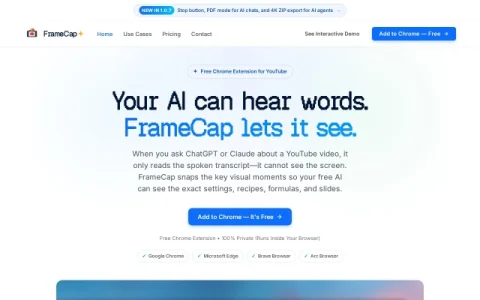
FrameCap is a browser extension built around a single observation: when you paste a YouTube link into an AI chatbot, the model typically receives only the spoken transcript. Anything visual, such as code on screen, slide decks, software settings or recipe steps, never reaches the model. FrameCap addresses that gap by capturing both the words and the visuals from the video and packaging them for the chat.
The workflow is deliberately minimal. After installing the extension, you open a YouTube video and trigger a capture; FrameCap pulls a timestamped transcript and a set of frames from key moments, with export options up to 4K so text in code editors and slides stays legible. Recent versions add a stop button, a PDF mode for AI chats, and ZIP export aimed at AI agents. Everything runs inside the browser, and the extension is free.
It is aimed at people who learn from video and then want to interrogate that material with an AI assistant: developers following coding tutorials, students working through lectures, and anyone comparing product demos or configuration walkthroughs. Because the frames carry timestamps, the AI can tie a claim back to a specific moment in the video.
A practical tip is to capture only the segment you actually need rather than an entire long video, since fewer, well-chosen frames tend to produce more focused answers. Pair the capture with a specific question about what is on screen, such as a formula or a menu path, to get the most out of the visual cont


Comments & Ratings
0No comments yet. Be the first to review.