
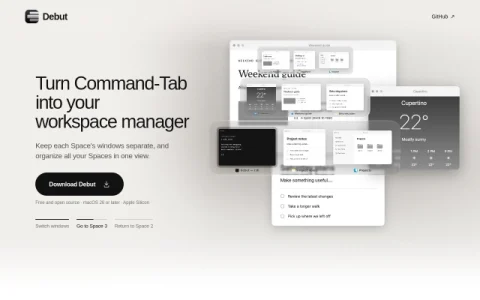
Debut is a macOS utility built around a single idea: the app switcher should respect Spaces. On stock macOS, Command-Tab lists apps from every desktop, which gets confusing once you spread work across several Spaces. Debut keeps each Space’s windows separate, so the switcher only shows what belongs to the desktop you are on.
The core features extend beyond switching. Option-Tab reveals every window from every Space when you need a global view. From the same interface you can jump directly to any Space, drag a window into another Space, create a new Space from a window, or merge Spaces together, all with mouse actions or shortcuts such as Command with a number key.
It is aimed at Mac users who keep distinct desktops for different kinds of work and want switching to match that structure, rather than fighting a mixed app list. Anyone on macOS 26 or later with Apple Silicon can try it, since it is free and open source.
To get started, download the app and try Command-Tab on a Space with several windows, then test Option-Tab for the cross-Space view. Note that creating a new Space from a window requires macOS 27 or later, so check your version before relying on that shortcut.



Comments & Ratings
0No comments yet. Be the first to review.