
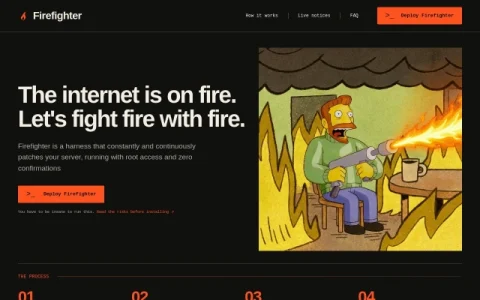
Firefighter is an experimental security harness for servers, built around a deliberately provocative premise: the internet is on fire, so fight fire with fire. Rather than waiting for a human to triage advisories, it runs as a root service and hands an LLM the authority to patch machines continuously and without confirmation prompts. The project positions itself as an unproven approach, and its own documentation leads with warnings rather than reassurances.
The workflow has four stages. A central hub pulls official vulnerability sources and broadcasts notices to every client. Each client’s LLM then investigates its own versions, exposures, logs, and evidence. It responds by applying package or code fixes, testing changes, containing exposures, and invoking configured key rotation hooks. Finally it verifies the fix and service health, rolls back when a rollback path was supplied, and sends a report to an agent of your choice.
Installation is a single curl command piped to sudo bash, which immediately grants an LLM root access on the host. That makes the tool relevant to developers, homelab operators, and sysadmins who want to study or trial autonomous remediation, and who accept the risk of an agent making destructive changes. It is not aimed at teams needing audited, predictable change management.
If you try it, run it on disposable infrastructure or machines with tested, independent backups, and read the FAQ and risk notes before installing. Configure rollback and key rot


Comments & Ratings
0No comments yet. Be the first to review.