
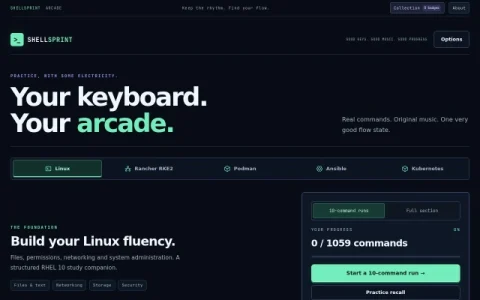
ShellSprint Arcade Lab is a browser-based practice space built around one narrow goal: getting command syntax into your fingers. Instead of watching tutorials or reading man pages, you type real Linux, Kubernetes, Podman, Ansible and Rancher RKE2 commands into a simulated terminal, one keystroke at a time. The site frames this as an arcade, with short runs and a rhythm to keep you moving.
The core loop is a 10-command arcade run. Each command appears highlighted in a terminal panel, and you type it exactly; a wrong key restarts the current line, and the command’s result is revealed only after you clear it. A separate recall mode tests whether you can reproduce commands from memory. Progress, badges and unlockable themes are stored locally in your browser, so there is no account to create.
Because nothing actually executes, the site is honest about its limits: examples are independent, and it recommends pairing practice with a prepared lab. That makes it a good fit for certification candidates, junior sysadmins and DevOps engineers who already know the concepts but keep fumbling flags and paths. It is less useful for complete beginners who have never seen a shell.
A practical routine is one full section per day, then a recall run on the commands you missed. Use the learning path to jump to a specific chapter or command when preparing for a task, and keep sound on if the music helps you hold a rhythm. Treat badges as a streak tracker rather than a curriculum, and reset progr


Comments & Ratings
0No comments yet. Be the first to review.