

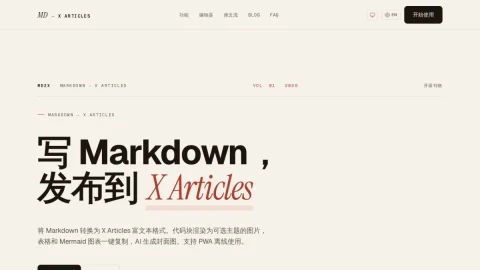
MD2X is a focused writing tool for people who draft in Markdown but publish on X Articles. Instead of reformatting by hand, you write in a familiar Markdown editor with a live preview of how the final article will look, then move the content across in a few clicks.
The core feature is rich-text clipboard copying: bold text, links and lists keep their formatting when pasted into the X Articles composer. Code blocks are rendered as syntax-highlighted PNG images in nine themes such as Dracula, Nord and GitHub, and tables plus Mermaid flowcharts and sequence diagrams are exported as theme-matched images that can be pasted directly.
Beyond conversion, MD2X offers an AI cover image generator that works with OpenAI-compatible APIs, and an AI-assisted thread splitter that breaks a long article into numbered tweet-sized chunks. Because everything runs in the browser and can be installed as a PWA, you can edit and preview offline, with AI features resuming once you reconnect.
It suits technical writers, developers and indie bloggers who publish long-form posts on X and want code and diagrams to look right without manual screenshots. The typical workflow is to draft or import a .md file, copy the title and body, then paste into X Articles and attach the generated cover from the Assets panel. No account is required, and content stays on your local device.



Comments & Ratings
0No comments yet. Be the first to review.