

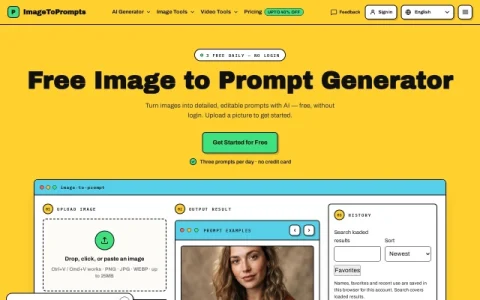
ImageToPrompts is a browser-based utility focused on one narrow job: reading an image and writing a text prompt that could recreate something like it. Rather than bundling a full generation suite, the site keeps the workflow to an upload box and a result panel, so visitors can move from picture to prompt in a couple of steps.
The tool accepts PNG, JPG, and WEBP files up to 25MB, either by drag-and-drop, file picker, clipboard paste, or image URL. Before generating, users pick a prompt type — General, Structured, or JSON — and choose an output language from a long list that includes English, Chinese, Japanese, Korean, Spanish, and others. Results are editable, so the text can be adjusted before being pasted into another tool.
It is aimed at people who already work with text-to-image models and want to describe a reference image precisely, as well as beginners who find blank-page prompting difficult. Designers, illustrators, and content creators can use it to capture a style, while developers may prefer the JSON output for programmatic pipelines.
The free tier allows three prompt generations per day without login or a credit card, which is enough for occasional use; frequent users can compare paid plans on the pricing page. Because the site also offers background removal, alt-text generation, and an image animator, it works best as one part of a small image workflow rather than a standalone studio.


Comments & Ratings
0No comments yet. Be the first to review.