

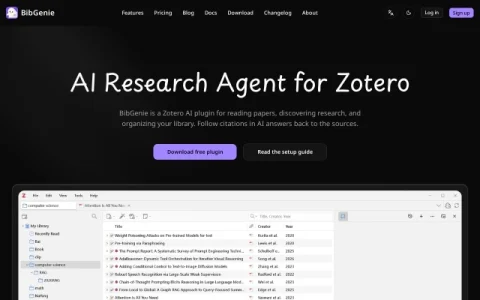
BibGenie is an AI research agent built as a native plugin for Zotero 7 and later, available on macOS, Windows, and Linux. Rather than offering a separate AI workspace, it embeds directly into Zotero’s right sidebar and follows users as they move between the Library and the Reader, keeping research assistance within the reference manager researchers already use.
The plugin can read the active item and current page as context, so questions can be asked about the paper on screen without uploading files. Users can add items, notes, tags, collections, attachments, annotations, PDF pages, EPUB sections, and selected passages to a chat via @ mentions or the Add Context option, combining multiple sources in a single prompt. AI answers include citations that link back to the underlying sources for verification.
It is aimed at researchers, students, and academics who already organize references in Zotero and want AI support for reading papers, discovering related research, and tidying their library. Local-first indexing and a free core make it accessible for individual use, with paid tiers presumably covering heavier needs.
New users should start with the setup guide and the free plugin download, then try adding a current PDF page to a chat to see how context tracking works. Those who need AI help outside Zotero’s ecosystem may find the plugin too narrowly scoped. Overall, BibGenie is a focused addition for Zotero-centric research workflows.



Comentarios y valoraciones
0Aún no hay comentarios. Sé el primero en valorar.