
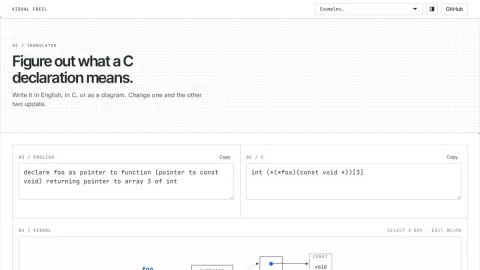
Visual cdecl is a browser-based utility for understanding what a C declaration actually means. It presents a single declaration in three linked representations: an English sentence, the original C code, and an interactive diagram made of boxes and arrows. Editing any one of them updates the other two immediately.
The core feature is real-time synchronization across the three views. Users can type a C declaration, read its English translation, or click a box in the diagram to edit that part below. The diagram visualizes how types, pointers, arrays, and functions nest together, which is often the hardest part of reading C declarations. The project is based on cdecl.org and cdecl-blocks and is open source under the MIT license.
This tool suits C and C++ learners who struggle with complex declarations, instructors who want a visual aid for teaching type syntax, and developers reviewing unfamiliar code. It is also useful for quickly checking whether a declaration means what you think it means.
To use it, start from one of the examples or type your own declaration in the C panel, then switch to the English or Visual view to confirm the meaning. Clicking a diagram box lets you edit that specific component. For best results, keep declarations focused on one variable or function at a time.
Overall, Visual cdecl is a focused, practical reference for decoding C declarations through synchronized text and visual feedback.


Comments & Ratings
0No comments yet. Be the first to review.