

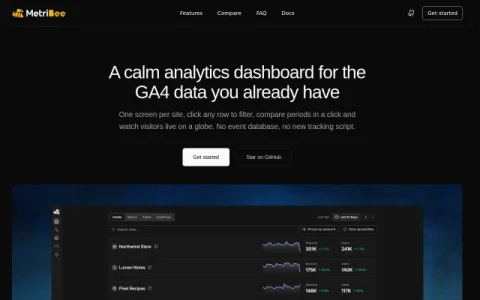
MetriBee is an open-source analytics dashboard built around a simple premise: the GA4 data you already collect should be easier to read. Rather than introducing another tracking script or event database, it connects to your existing Google Analytics 4 properties through a read-only service account and presents them in a deliberately calm interface. The project is free to self-host and aimed at people who manage more than one site and find the standard GA4 interface fragmented.
The core of the product is a single screen that lists every property the service account can access, with Cards, Status, Table and Heatmap views, CSV export and optional AdSense earnings. From there you can click any row to filter, compare periods in one click, and open dedicated views for realtime traffic, funnels, journeys and retention. Realtime data comes from the GA4 Realtime API and includes spike detection plus a live 3D globe, while funnels and cohorts are built on GA4’s native reports and page paths.
It fits freelancers, small agencies and in-house analysts who oversee several GA4 properties and want a fast cross-site overview without migrating data. It also suits self-hosters comfortable running a single Docker container on a laptop, home server, Raspberry Pi or small VPS. Because everything reads from GA4, anyone needing custom event storage or non-Google data sources should look elsewhere.
Getting started takes three steps: run the container, add a read-only service account, then open the



Comments & Ratings
0No comments yet. Be the first to review.